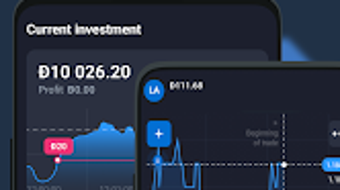

Download Qubot – AI trading, automated investing, Quotex trading robot, real-time market analysis, technical indicators, demo account, live chat support
Overview
Qubot is a mobile application designed to facilitate trading and investing on the Quotex platform through advanced automation and algorithmic strategies. The software aims to streamline the trading process by leveraging artificial intelligence and time-tested methodologies to perform real-time technical analysis. Its primary purpose is to assist users in making informed trading decisions by analyzing market movements using a suite of over 20 technical indicators, including Bollinger Bands, STOCH, MACD, RSI, and ATR. The app is tailored for both novice and experienced traders seeking to maximize investment returns with minimal manual intervention.
Target users include individuals interested in algorithmic trading, those exploring automated investment tools, and users who want to test strategies in a risk-free environment. The application enables users to execute trades through an auto trading robot powered by sophisticated logic, reducing emotional decision-making and enhancing consistency. Real-world usage scenarios include day trading, short-term investment strategies, and portfolio diversification across multiple assets. The developer, Qubot, has positioned the software as a comprehensive tool for traders looking to integrate AI-driven insights into their trading workflow.
Key Features & Capabilities
- AI-Powered Auto Trading Robot: Utilizes artificial intelligence and pre-defined strategies to execute trades automatically on the Quotex platform, minimizing human error and emotional bias.
- Real-Time Market Analysis: Continuously monitors market data and applies technical indicators to identify potential entry and exit points for trades.
- Over 20 Technical Indicators: Integrates advanced analytical tools such as Bollinger Bands, STOCH, MACD, RSI, and ATR to provide comprehensive market insights.
- Risk-Free Demo Account: Offers a simulated trading environment with a $10,000 virtual balance, allowing users to test strategies without financial risk.
- 24/7 Live Chat Support: Provides round-the-clock assistance to help users resolve issues, understand features, or navigate the platform.
- Multi-Language User Guides: Includes on-screen tooltips and learning resources available in 14 languages to support global accessibility.
These features enable users to engage in automated trading with confidence, experiment with different strategies, and access timely support. The demo account is particularly beneficial for beginners, allowing them to gain experience before committing real funds. The integration of multiple technical indicators enhances analytical depth, supporting data-driven decision-making. The live chat support ensures users can receive immediate help, improving overall user experience and retention.
User Interface, Workflow & Performance
Qubot features a mobile-optimized interface designed for ease of navigation and quick access to core functions. The layout emphasizes clarity, with intuitive controls and visual feedback to guide users through trading workflows. Key actions such as starting the auto-trading robot, monitoring live market data, and accessing the demo account are accessible from the main dashboard. On-screen tooltips and contextual help are available to assist users during setup and operation.
The workflow is structured to support both automated and manual trading modes, allowing users to switch between them based on their preferences. While specific performance metrics such as CPU or RAM usage were not disclosed, the application is designed to operate in real-time, suggesting efficient background processing. The developer did not specify resource usage details. Stability appears to be a priority, given the continuous operation required for live trading. Users can expect consistent performance during active trading sessions, though actual behavior may vary depending on device capabilities and network conditions.
Compatibility & System Requirements
Qubot is available for iOS and Android operating systems, ensuring broad accessibility across modern smartphones and tablets. The software version is 1.2.4, with a file size of 120 MB, indicating a lightweight installation. This size suggests the app is optimized for efficient storage use without compromising functionality. The developer did not provide additional system requirements, such as minimum RAM, processor specifications, or OS version thresholds.
Compatibility information was partially provided. Users should ensure their devices meet general mobile platform standards to run the application smoothly. The lack of detailed hardware or software prerequisites means users may need to rely on standard device capabilities for optimal performance. Installation is expected to be straightforward through official app stores, though specific installation steps were not outlined. Platform compatibility is limited to mobile devices, with no indication of desktop or web-based versions.
Pros and Cons
Pros
- AI-driven auto trading robot for hands-free investing
- Real-time market analysis with over 20 technical indicators
- Risk-free demo account with $10,000 virtual balance
- 24/7 live chat support for immediate assistance
- Multi-language user guides and tooltips for global users
- Mobile-first design with intuitive interface
Cons
- Only available on mobile platforms (iOS and Android)
- No information on system requirements or performance benchmarks
- Price of $9.99 may be high for casual users
- Dependent on Quotex platform for trade execution
- Limited transparency about algorithmic logic and risk management
FAQ Section
Is Qubot compatible with desktop computers?
Qubot is currently only available for iOS and Android devices. There is no official desktop or web version released at this time.
Is the demo account truly risk-free?
Yes, the demo account provides a $10,000 virtual balance, allowing users to test trading strategies without risking real money.
Does Qubot require an internet connection?
Yes, the app requires a stable internet connection to access real-time market data and execute trades on the Quotex platform.
How often are updates released?
While the update frequency is not specified, the current version is 1.2.4, indicating regular maintenance and improvements.
Is Qubot safe to use?
Qubot operates as a third-party tool integrated with the Quotex platform. Users should review the platform’s security practices and terms of service before using the app.
Final Thoughts
Qubot presents a compelling option for traders seeking to automate their investment activities on the Quotex platform. Its integration of AI-driven strategies, real-time technical analysis, and a risk-free demo environment makes it accessible to both beginners and experienced users. The mobile-first design, multilingual support, and 24/7 live chat enhance usability and user satisfaction. While the lack of desktop compatibility and limited transparency about internal algorithms are notable drawbacks, the app’s core functionality is well-aligned with modern trading demands.
For individuals interested in automated investing and AI-powered trading tools, Qubot offers a structured, user-friendly path to explore algorithmic strategies. The combination of advanced analytics and practical learning resources supports skill development and confidence-building. The $9.99 price point reflects its premium positioning, though the value may vary based on individual trading goals and experience levels.
Download Qubot now to explore intelligent trading automation and begin testing strategies with confidence.







